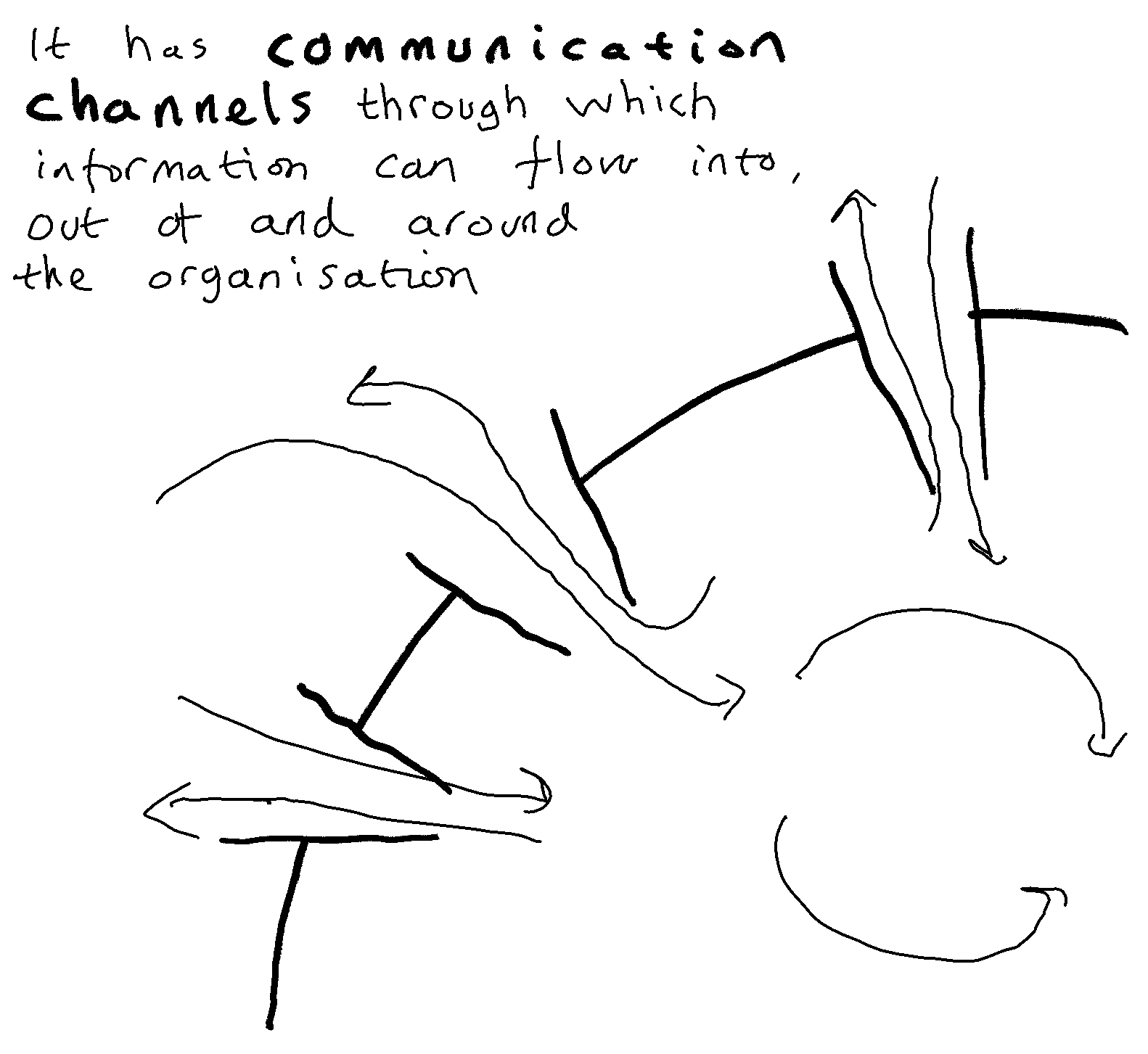
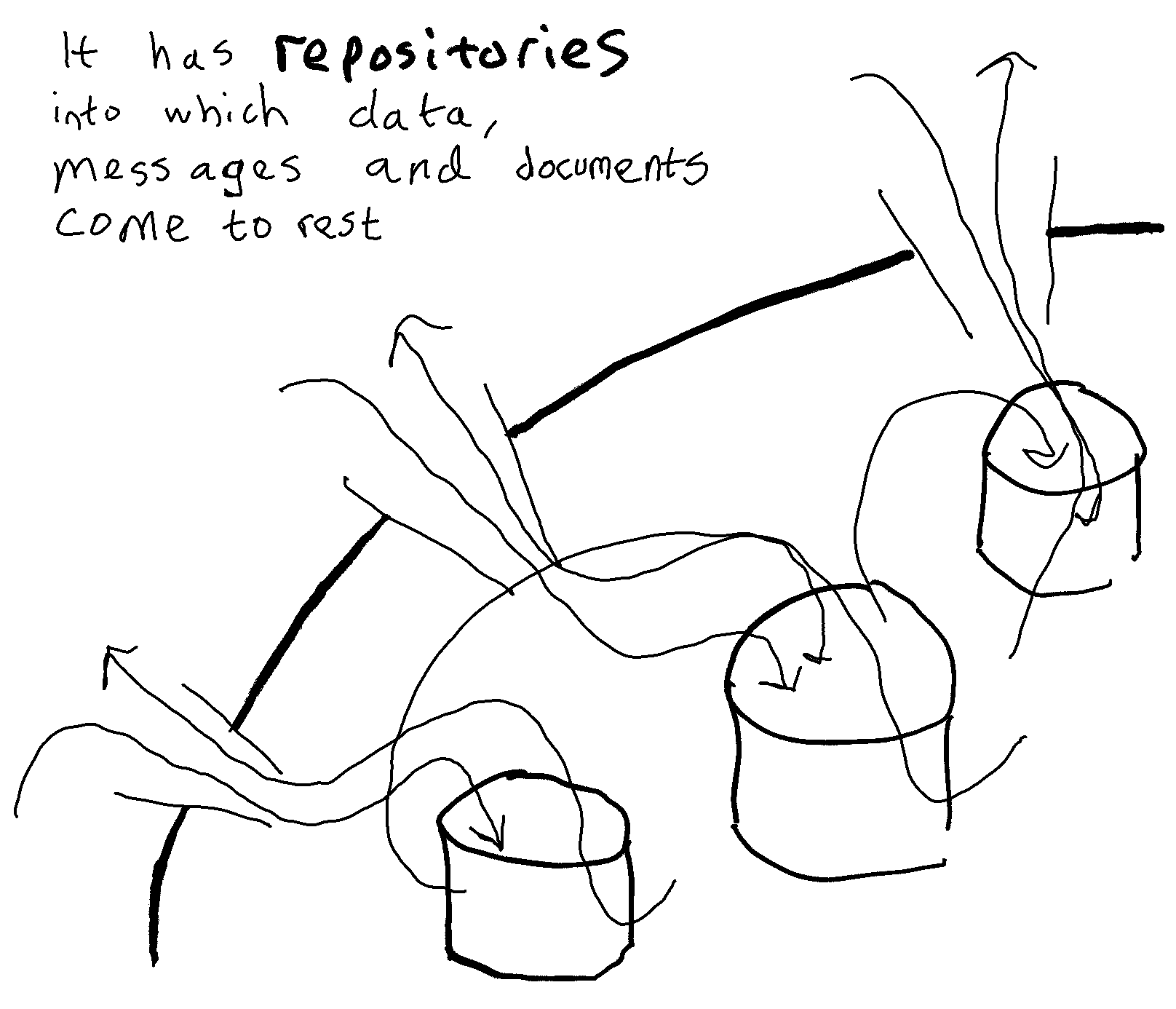
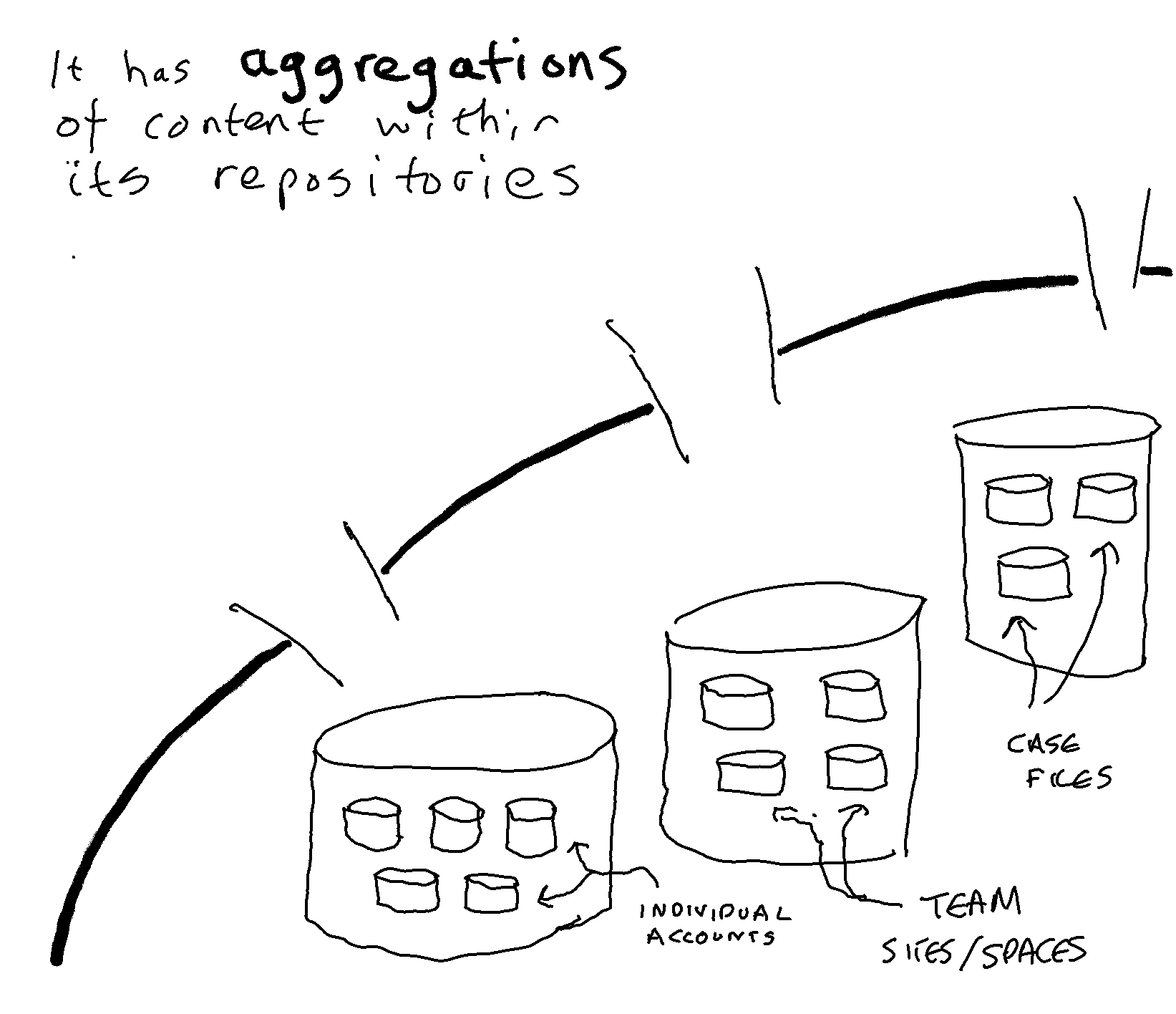
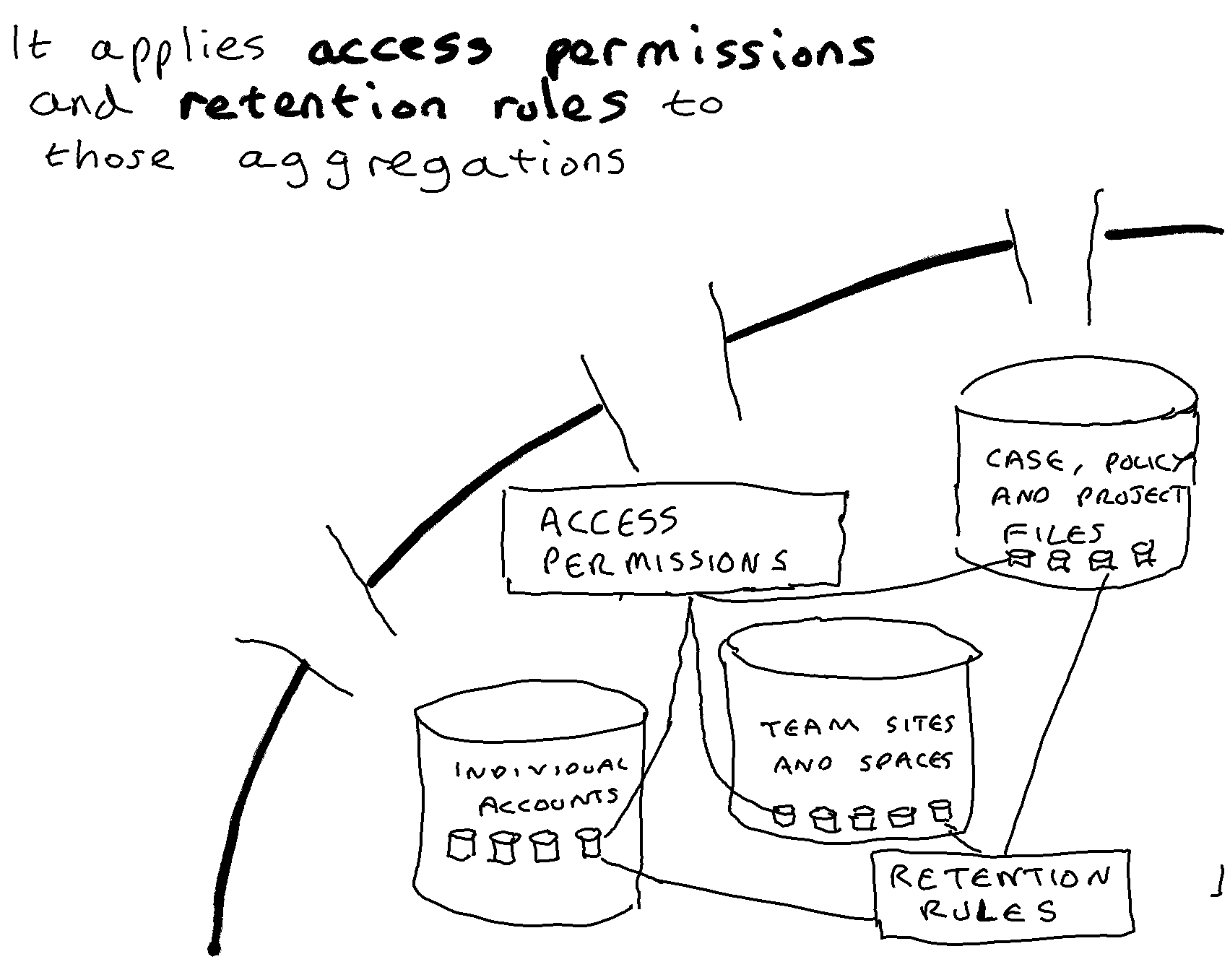
The Microsoft 365 cloud suite is a set of corporate multi-purpose applications:
Various common services are wrapped around these applications. These include services that provide means of securing, governing, and searching content held within those applications.
Microsoft will have an implicit strategy as to how the applications within their suite relate to each other, what they envisage them being used for, what they envisage them storing, and how access and retention rules get applied to content created or received within them.
Many of the tenant organisations that use Microsoft 365 will have their own records management strategy. Each such strategy will express the organisation’s choices and preferences about how different digital applications relate to each other, what they should be used for, what should be stored in them, and how access and retention rules get applied in them.
This opens up the possibility that a difference may arise between the records management strategy of a tenant organisation and the broad direction of travel of the Microsoft 365 suite. This raises the question as to the extent to which a tenant organisation’s records management strategy needs to take account of Microsoft’s direction of travel for M365.
Microsoft 365 is an ‘evergreen’ cloud suite. Microsoft introduces a constant stream of new features with the aim of improving the user experience; making users more productive; extending the power of AI models within the suite; and improving the ability of tenants to govern and protect content across the suite. This permanent state of product improvement is essential in order to stay ahead of their competition.
For each set of significant new features introduced by Microsoft into M365 we need to look not just at what those features do, but also at what they say about the direction of travel of M365 as a whole. Each successive new round of features moves M365 further forward along the direction of travel the company has determined for the product. Any difference between a tenant organisation’s records management strategy and Microsoft’s direction of travel will tend therefore to grow over time. Any records management strategy which is significantly different to Microsoft’s direction of travel will, over time, become progressively harder for a tenant organisation to apply within M365.
Let us imagine a tenant organisation that has a high level of information management expertise. Such an organisation might adopt a records management strategy based on:
Nothing that Microsoft is going to introduce will make that strategy impossible to pursue. It will remain a defensible approach, and a viable strategy for organisations with very strong information management capabilities. But it is clear that Microsoft’s strategy for M365 is based on a different set of preferences. The overall trend of new features introduced by Microsoft since the birth of the Office 365/M365 suite shows:
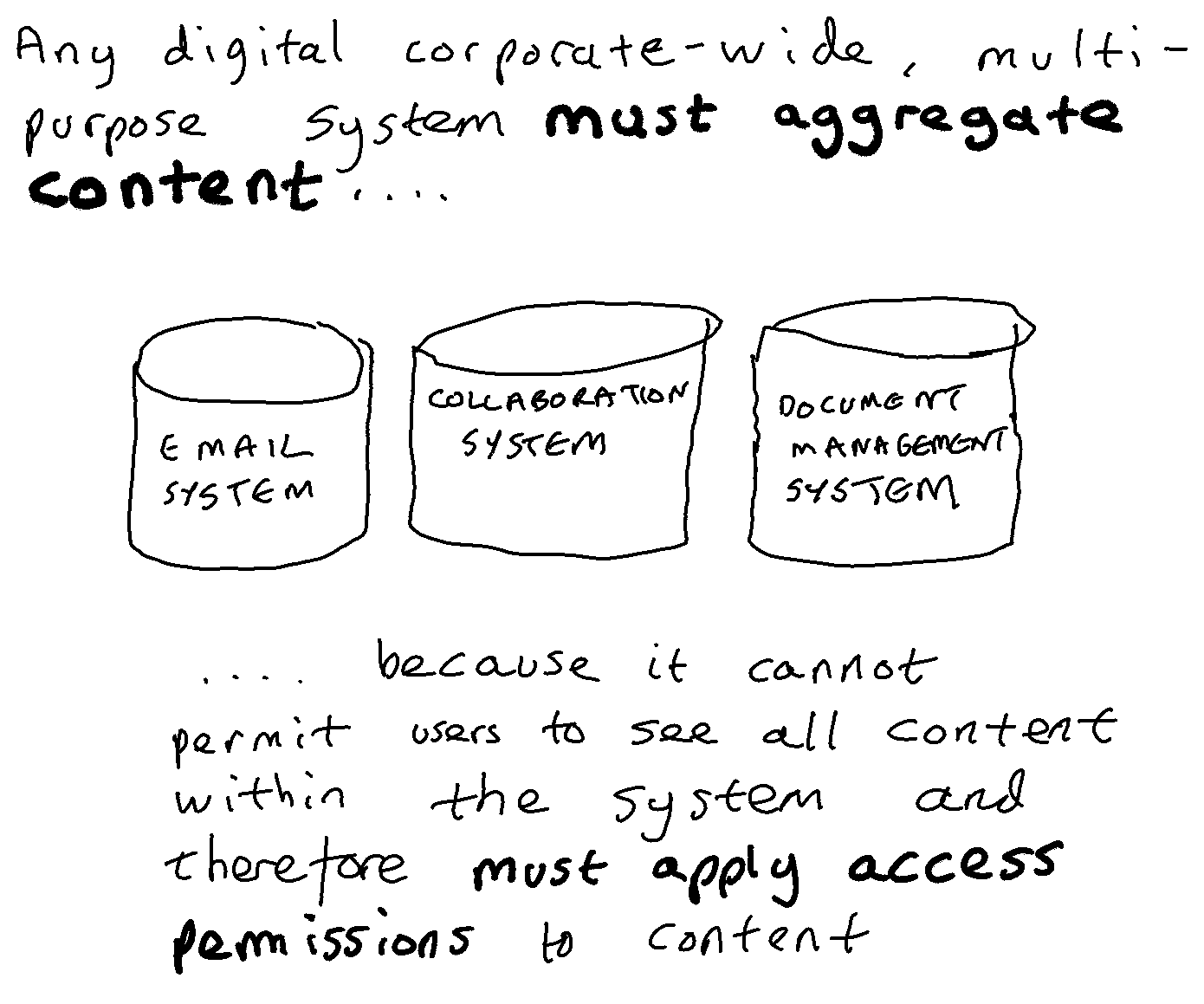
One discernable element of the direction of travel of M365 is the establishment of Exchange to act not just as an email system, but also as a general repository for messages created in any new application developed within the suite. SharePoint and OneDrive act as the general repositories for documents created in any new application within the suite. MS Teams was the first new application that Microsoft created within Office 365/M365. It was configured so that it does not store any of the messages and documents that go through it:
Microsoft are in the process of introducing three potentially important feature sets into M365:
These three new feature sets have nothing directly to do with records management. They have no direct impact on the access permissions and retention rules that are applied to content. But they do give us an indication of the direction of travel of M365 with regard to the relationship between new M365 functionality and existing M365 repositories, and with regard to how AI models will work in the suite. And that overall direction of travel will act over time, to make some types of records management strategy easier to apply within M365 tenancies than others.
Microsoft have set the default storage location for items created with Loop to be the OneDrive account of the individual who created the item. At first sight this decision is surprising. Collaboration is about sharing content and working together, whereas OneDrive is based on individual accounts. But on closer inspection Microsoft has no other choice.
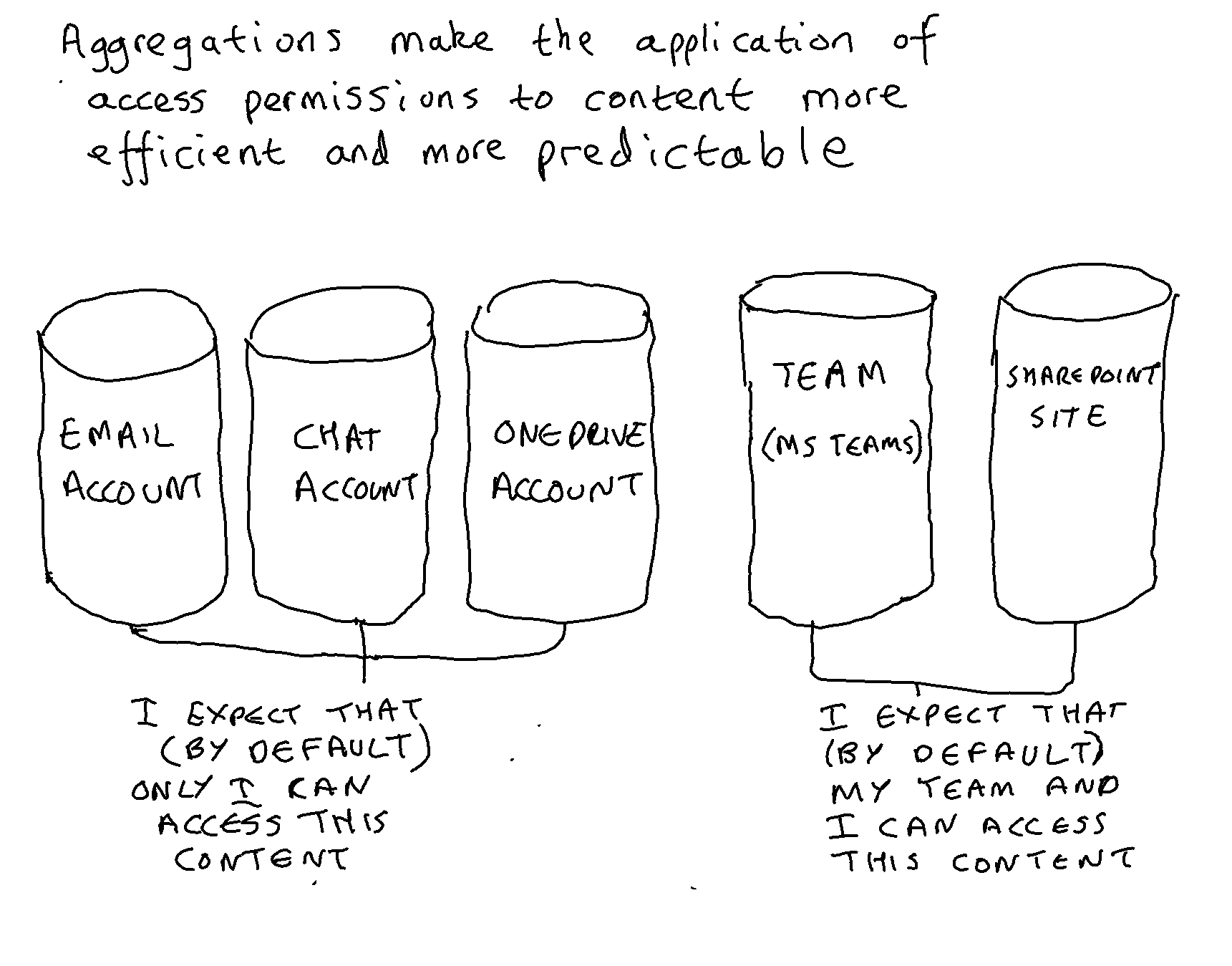
Microsoft can safely assume that almost every individual in almost every tenant will have an email account, a Teams Chat account and a OneDrive account. Microsoft can also assume that every new collaboration object will be initially created by an individual. Microsoft can therefore be sure that every new Loop object will have a logical home in the OneDrive account of the creator. Any proliferation of Loop objects will not result in a proliferation of new aggregations because the OneDrive accounts already exist.
In contrast if Microsoft had wanted Loop content to be stored by default in SharePoint, then they would almost certainly have been forced to spin up a new SharePoint site every time a new Loop object was created for a new combination of users. This is because of the idiosyncrasies of SharePoint’s architecture:
MS Teams is engineered so that a new SharePoint site is spun up for every new Team created, purely in order to house a document library for the Team in the site. In theory Microsoft could have adopted this model for Loop, with a new SharePoint site being spun up for every loop object, but the short lived nature of the collaborations envisaged for Loop would make this disproportionate and undesirable.
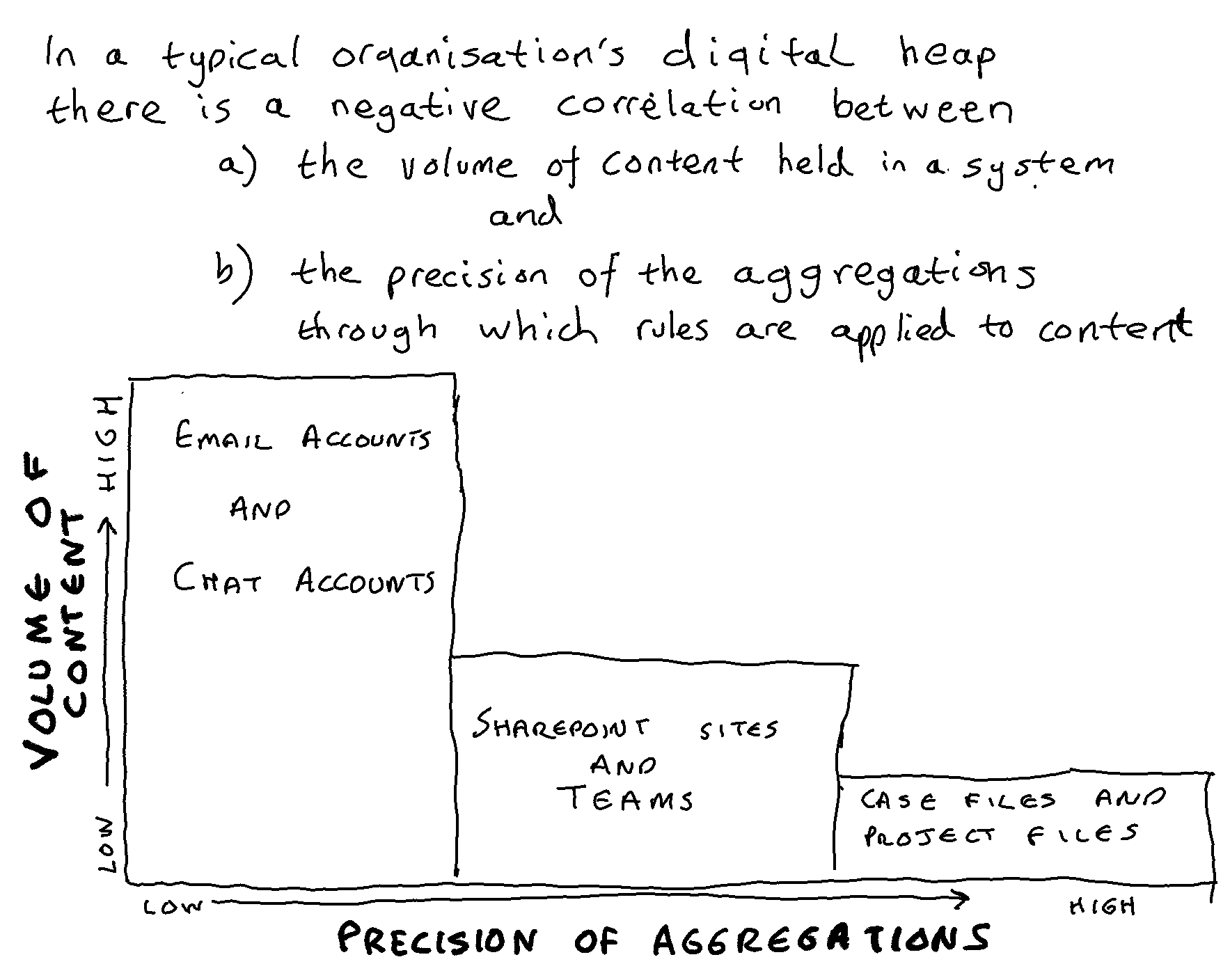
The decision to architect M365 to store messages in Exchange and documents in SharePoint/OneDrive has an important consequence. It is relatively straightforward for Microsoft to architect any major new application or feature set to store content in individual accounts (OneDrive accounts and/or individual Exchange email accounts). It is much more complex for Microsoft to architect the new application/feature set to store content in shared spaces (SharePoint document libraries and/or shared Exchange email accounts). Over the course of time this is likely to lead to an increasing portion of content being stored in individual accounts.
Copilot and Viva Topics are different AI models that stand independently of each other. Copilot dredges information from anywhere within the tenancy that the individual has access to. Viva Topics dredges information from anywhere in SharePoint (or rather those parts of SharePoint that administrators have allowed it to trawl). But they have two key architectural feature in common:
We can predict that the more effective the AI models in M365 become, the less it will matter to a user where a particular item of content is stored. What matters is whether they (and by extension their AI models) have permission to view the content. We can also predict that the more effective the AI models become, the less Microsoft will be concerned about which of the M365 repositories content is stored in.
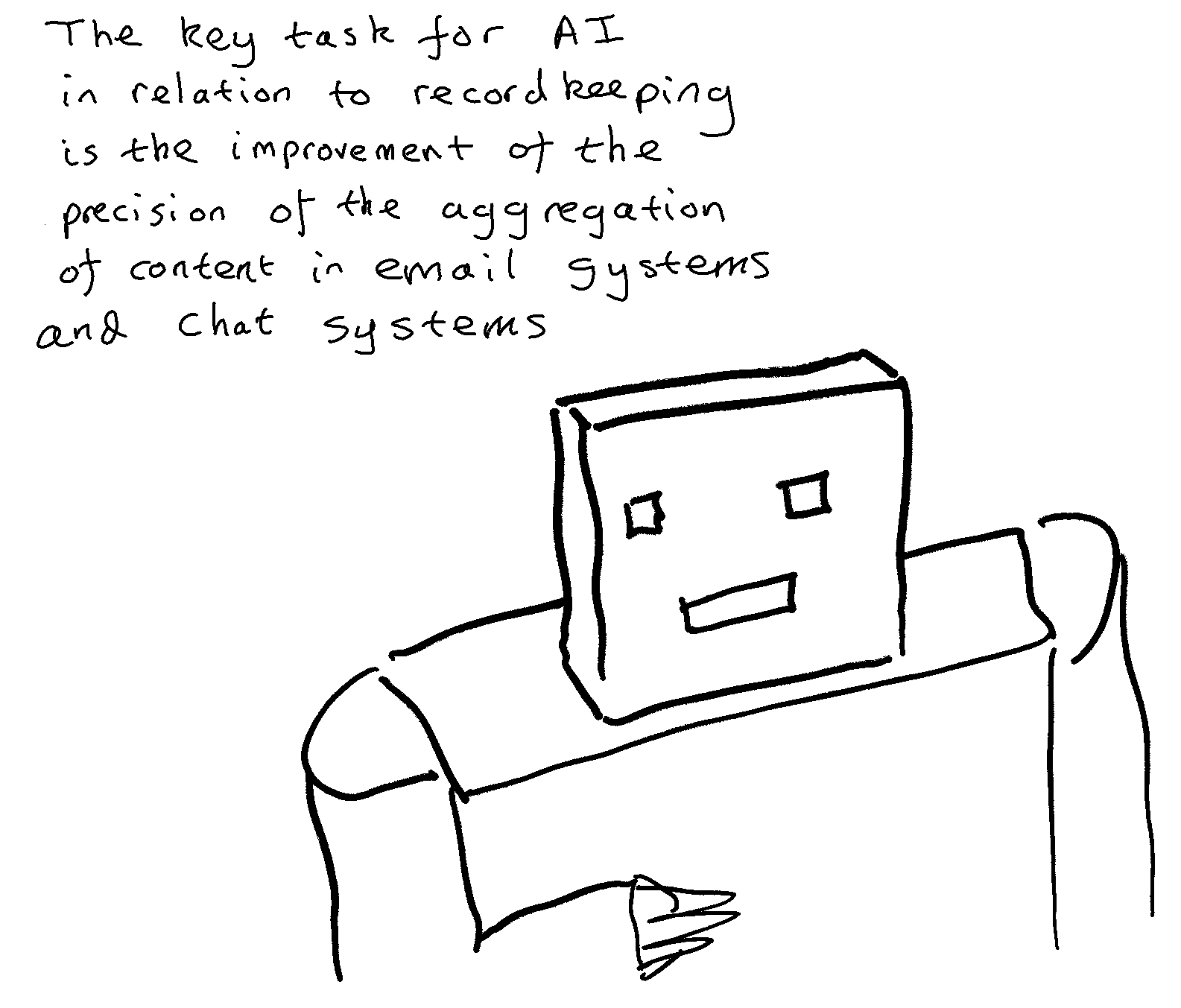
In effect a new type of aggregation has come into existence as a result of the development of these AI models. That aggregation is the set of content within a tenancy to which a particular user has access to. This aggregation is not visible to anyone except the AI models, but the AI models must know its boundaries otherwise they would not be able to trim the information they are providing to individual users as auto-suggestions, topic cards etc.
Let us assume that Copilot will continue to improve over the course of the next two or three years as it achieves greater adoption and as its algorithms are further refined in the light of that adoption. If this proves to be the case, then Copilot will reach a point at which it enables an individual to benefit significantly from the information they have access to within M365. Some of that information will be held in their individual accounts, the rest will be held in the various shared spaces that they have access to.
At a certain point in time that user will leave their post of employment A new individual might be appointed to replace them. The new individual is likely to be given access to the shared spaces that their predecessor had access to, but not to the material in their predecessor’s individual accounts. Consequently there will be a drop-off in effectiveness of Copilot for the new person in post. This drop-off will persist until the new person accumulates, over time, a sufficient breadth of relevant content in their own individual accounts.
In order to flatten out this drop-off there may arise a need to develop ways in which an organisation can safely provide a new person in post (and the AI models working on their behalf) with access to the non-personal content held in the individual accounts of their predecessor. In order for that to happen another AI model may be needed, that works within the individual accounts of a user and identifies personal material that the AI model predicts the user would not want to make accessible to their successor-in-post. It is likely that the only person who could act as the human-in-the-loop to monitor, reinforce and retrain such a model, would be each individual end-user themselves.
Such a model could be seen to be successful if and when it reaches the point at which an individual would be willing to freely grant permission for their successor (and by extension their successor’s AI models) to access the material within their individual accounts that the model had not identified to be personal.

The journal Archival Science has published the latest paper from my doctoral research project into archival policy towards email. The paper is entitled ‘Rival records management models in an era of partial automation’. It is an open access paper and is free to read and to download from here.
The paper argues that:
A significant proportion of archival and records management thought over the course of the past quarter of a century has gone into trying to specify what constitutes an optimal structure and metadata schema for a records system.
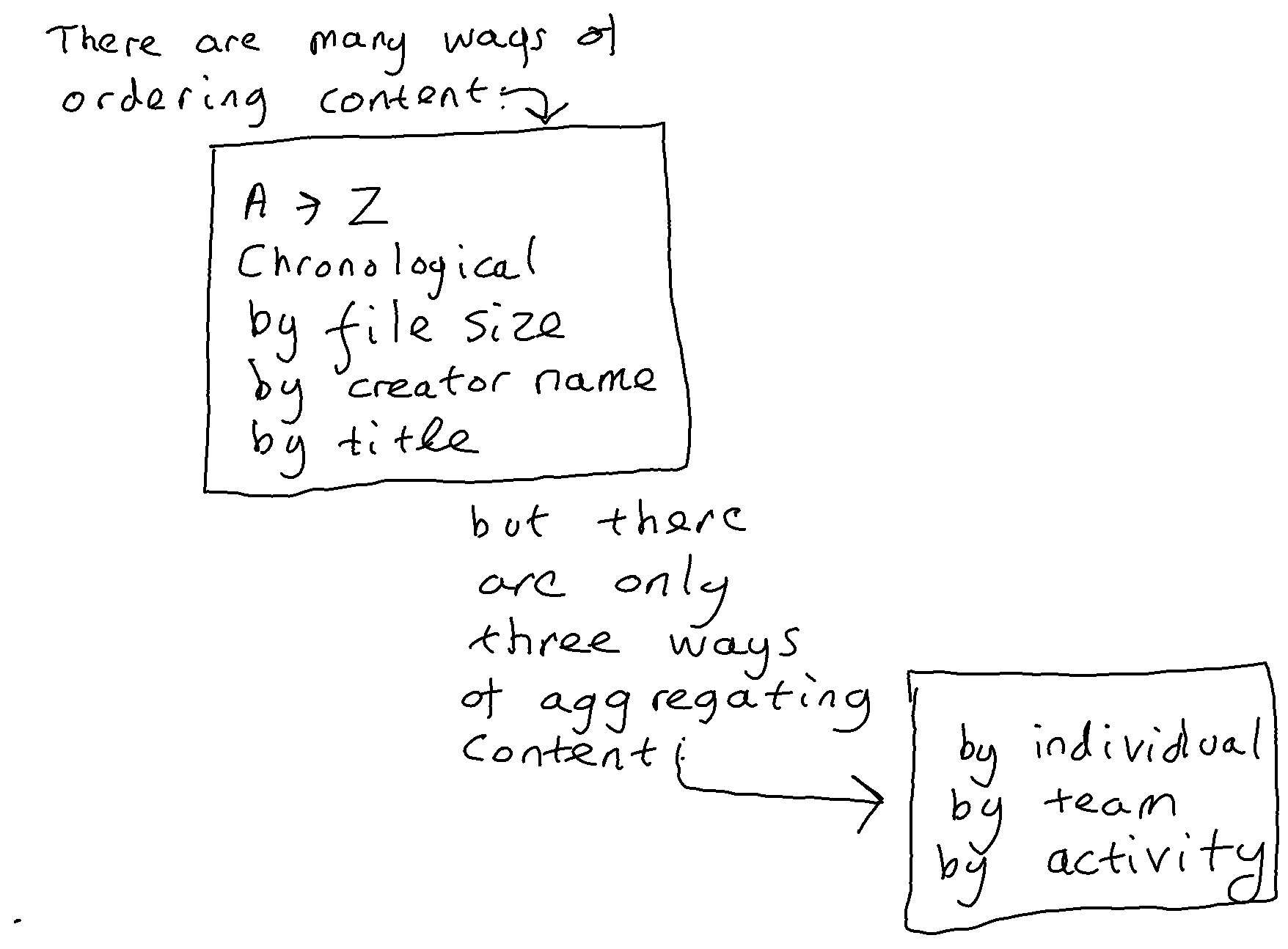
In the era before email, when we did not have the capability to automatically file correspondence, there was a level playing field between different ways of structuring a record system. An organisation had a choice of several ways it could file correspondence (chronologically, alphabetically by correspondent, functionally by business activity). It did not take appreciably more effort for a human to file into any one of these three different structures than into any of the others. It therefore made sense to choose the structure that gives the optimum efficiency in terms of the management and sharing of records through time. This equates to the structure that is most efficient from the point of view of the application of records retention and access rules. Theodore Schellenberg, author of the foundational text on records management, tells us that the most efficient way of organising records is by function and business activity.
The coming of email changed this equation. An email system automatically files all of an organisation’s email correspondence alphabetically and chronologically at the email system level, and all of an individual’s correspondence alphabetically and chronologically at an email account level. There is no longer a level playing field between different ways of structuring a record system. We can automatically and instantly file email correspondence chronologically and alphabetically, but if we want to file it by business activity then that would have to be done manually.
In this era of partial automation we have a paradoxical situation whereby if we were to ask end-users to file email correspondence into an application with an optimal structure/schema (one that organises records by business activity) then we are likely to make the recordkeeping of the organisation less efficient and less reliable. This is because we would be using an unreliable manual process to re-file correspondence that had already been filed automatically and reliably into a sub-optimal structure/schema.
The paper therefore finds a justification within archival theory for approaches that seek to manage correspondence in place within the structure and metadata schema of a native messaging application (for example of an email system) even where that structure/schema is sub-optimal . This justification is valid in circumstances where the native application has automatically and reliably assigned correspondence to that structure/schema, and where the organisation lacks an automatic and reliable means to re-assign correspondence to an alternative (more optimal) structure/schema.
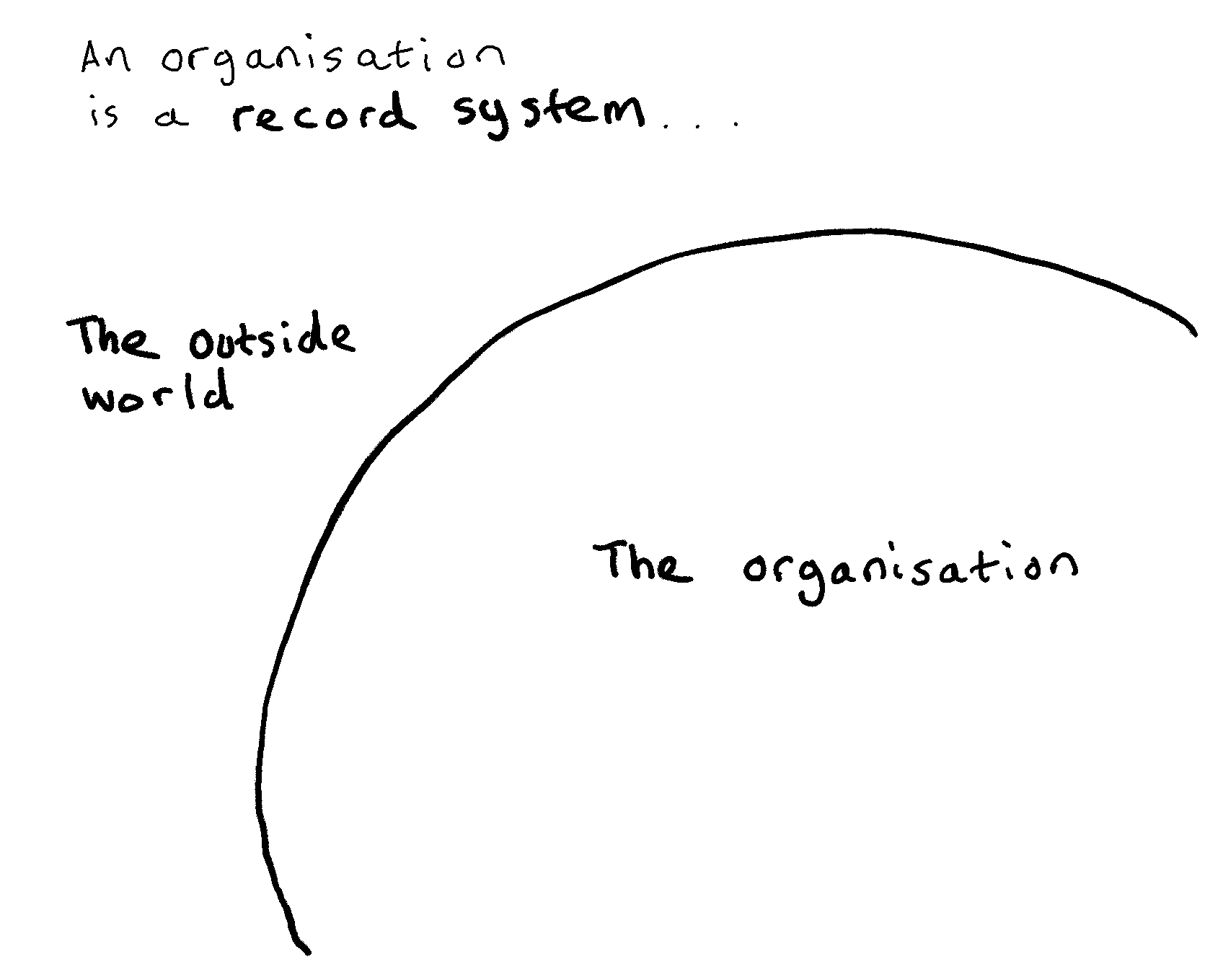
Every organisation has a records management strategy. Regardless of whether or not they make that strategy explicit in a strategy document, their strategy is implicit in the choices they make about how they go about applying retention rules to the content in their business applications:
Each of these rival strategies has their pros and cons. Each is a legitimate records management approach.
This situation is made more complex by the arrival of the cloud suites from tech giants Microsoft and Google. Each cloud suite is a combination of several different document management, collaboration, filesharing and messaging applications. Each cloud suite embodies an implicit records management strategy. The strategy is discernable by the retention capabilities that the suite is equipped with, and by how those capabilities relate to the applications within the suite. This opens up the possibility that an organisation might be expounding one type of records management strategy, but be deploying a cloud suite that is informed by one of the rival strategies.
It is clear from the way that the Microsoft (Office) 365 cloud suite has been set up that Microsoft have adopted an ‘in place’ approach to records management. In the MS 365 suite no one application is superior for records management purposes than any other. Retention functionality sits in the Compliance centre, outside of any one application. Retention rules can be set in the Compliance centre and applied to any type of aggregation in any of the collaboration/document management/messaging/filesharing applications within the suite.
In the early years of Office 365 it may have been possible for an organisation to deploy the suite whilst continuing with a strategy of moving all documents and messages needed as a record into one specific business application that is optimised for recordkeeping. Since the coming of MS Teams this no longer appears possible.
MS Teams deployed as an organisation’s primary collaboration system
The phenomenal rise in adoption of MS Teams over the past two years is prompting some fundamental changes in the records management strategies of those organisations who have adopted it as their primary collaboration application:
These two changes are related: the reason why MS Teams is not as configurable as previous generations of collaboration systems is precisely because it is primarily a messaging system in which content is pushed to individuals and teams via Chat and Channels.
The impact of MS Teams on an organisation’s records management strategy
Let us think of how the records management strategy of a typical large organisation may have evolved over the past two decades:
Here we have some elements of continuity, but also some important elements of discontinuity.
The main element of continuity is that the organisation is still encouraging staff to contribute every document or message needed as a record to one particular application. They are still making a distinction between:
The element of discontinuity lies in the nature of the rationale behind this distinction.
When the organisation had implemented an EDRM or SharePoint as its corporate document management system and asked staff to move any documents and messages needed as a record into that system they could argue that they were taking a ‘records management by design’ approach. They will have endeavoured to configure their corporate document management systems with a logical structure that reflects (as best they could) their business processes and to which they will have attempted to link appropriate retention rules and access rules.
They could justify the routine deletion of content in other applications by arguing that the records management by design approach relies on important documents and messages being placed into an application that has records management frameworks configured into it.
MS Teams and the decline of records management by design
For most of the past ten years SharePoint has dominated the market for corporate document management systems and hence dominated the market for systems through which an organisation could apply a records management by design approach.
SharePoint has been on a journey. It started the decade as an on-premise, stand-alone document management system which end users would directly interact with. It ends the decade as a component part in a cloud suite. Its role in that cloud suite is more and more becoming that of a back-end system supplying document management capability to MS Teams.
An organisation that configured SharePoint as their corporate document management system with a carefully designed information architecture will find that structure sidelined and deprecated by the introduction of MS Teams. Each new MS Team is linked to a new SharePoint document library in which all documents posted through its channels will be kept. In effect this brings in a parallel structure of document libraries to rival those previously set up for those same users in SharePoint.
At the time of writing it does not appear possible to do records management by design with Microsoft Teams. The information architecture of MS Teams is not suited for it, and neither is the way that most organisations roll Teams out.
Information architecture of MS Teams
In MS Teams each Team is a silo. There is no overarching structure to organise the Teams. Overarching structures are useful in any sort of collaboration system, not just to serve as a navigation structure for end-users to find content, but also to place each collaboration area into some sort of context to support the ongoing management and retention of its content. There does exist, in the Microsoft 365 Teams Admin Centre, a list of the Teams in the tenancy. This list is only accessible to those who have admin rights in the tenancy. Most organisations give admin rights to only a very small number of people. The list gives an information governance/records management team precious little information about each Team. It gives a basic listing of the name of the team and the number of channels, members, owners and guests it has. (see this recent IRMS podcast with Robert Bath for a fuller discussion of these issues).
Roll out of MS Teams
In the past organisations typically used a staggered roll out to deploy their corporate document management /collaboration system (EDRMS, SharePoint etc.). Such systems would be rolled out tranche by tranche, to give time for the implementation team to configure the specific areas of the system that each team in the tranche was going to use. This was necessary in order to bridge the gaps between the organisation’s broad brush information architecture frameworks and the specific work and specific documentation types of the area concerned.
Microsoft Teams is a primarily a messaging system. It is a communication tool. It gives individuals the ability to send messages to other individuals through their Chat client and to share posts with their close colleagues through a Team channel. Its aim is to speed up communications and to enable colleagues separated in space by remote working to keep closely connected. Organisations may have been happy to stagger the roll out of a document management system but they are not typically happy to stagger the roll out of a messaging system because to do so would exclude some staff from communication flows.
There is a design element to Teams. There are choices to be made as what is the the optimum size for a Team, as to how many different channels to set up in any team, and what to set channels up for. But there are two significant limitations to the scope of these design choices.
The first limitation arises from the fact that the design choices relate to Teams channels, whereas most MS Teams traffic tends to go through Teams Chat. There are no design choices to be made in the implementation of individual Teams Chat clients.
The second limitation arises from the fact that however you design Teams and Teams channels, you cannot overcome the fundamental architectural weakness of Teams, that each Team has to be a silo. This is the key difference between SharePoint/EDRMS systems on the one hand and MS Teams on the other.
The access model in MS Teams
SharePoint is a document management system. The access model for SharePoint sites and document libraries is flexible. You can make the site/library a silo if you wish by restricting access to a a small number of people, but equally you can open up access widely. You can reduce the risk of opening access widely by confining the right to contribute, edit and delete content to a small group whilst opening view access to a wider group.
MS Teams is a messaging system first and foremost with a document management component (provided by SharePoint) as a secondary element.
You can only view content in a given Team if you are a member of a that Team. Each Team member has access to every channel within the team (apart from private channels) and to the Team’s document library. Each Team member can contribute posts to channels and can add and delete items from the document library. Broadening the membership of a Team is therefore more risky than opening up access to a document library in a SharePoint implementation, because everyone that you make a member of the Team has full edit and contribute rights in the Team.
A further disincentive to adding extra members to the Team lies in the fact that by making someone a member of the Team you are exposing the individual to the flow of messages in and out of the channels of that Team. There is a catch-22 here. The more you widen membership of a Team the more you drive message traffic away from Teams channels and into Teams Chat. This is because the wider the membership the greater the likelihood that any given message will be uninteresting, irrelevant or inappropriate for some members. If you keep the membership small you may increase the percentage of traffic going through the channel but you decrease the number of people to whom that traffic is accessible.
Microsoft Teams and the notion of ‘retrospective governance’
The first time I heard the phrase ‘retrospective governance’ was in the chat in the margins of a recent IRMS webinar. An organisation had carried out a corporate wide roll-out of MS Teams out virtually over night in 2019, and the records manager reported having spent the subsequent year trying to put in place some ‘retrospective governance’ by identifying which organisational unit each Team belonged to, what it was being used for, whether it was needed, what retention rule should apply to it. Numerous other participants reported similar experiences.
Retrospective governance is not exclusive to Microsoft Teams. We can for example see retrospective governance in the use of analytics/eDiscovery tools to make and process decisions on legacy file shares (shared drives).
In the past an organisation may have decided to apply retrospective governance to data in legacy applications and repositories, but such retrospective governance efforts were very much peripheral to the main thrust of their records management strategy which was centred on the application into which it had configured its recordkeeping frameworks. After the coming of MS Teams retrospective governance suddenly moves to the heart of an organisation’s records management efforts. The rise of MS Teams means that within the MS 365 suite it is not possible to configure records management frameworks into one application in such a way as to give that application records management primacy over other applications.
The in-place records management strategy
The in place records management approach holds that at the current point in time it is not feasible to consistently move all significant business documents and messages into an application equipped with a structure/schema that is optimised for records management. There also exist many classes of business application (including email systems and all other types of messaging system) whose structure and schema simply cannot be optimised for record keeping. Therefore an organisation’s document management, messaging, filesharing and collaboration applications should be treated as record systems even if the structure and metadata schema of most of these applications is sub-optimal for recordkeeping.
Unless and until it becomes possible either a) to consistently and comprehensively move records into an application that is optimised for recordkeeping, or b) to configure each business application so that it has a structure and schema that is optimal for recordkeeping, then we also need c) a viable strategy for managing records in applications that have a structure and schema that is sub-optimal for recordkeeping.
Dialogue with Microsoft about their execution of the in-place records management strategy
The records management profession has put a tremendous amount of work over the past 25 years into building a knowledge base for the records management approaches that involve optimising one business application for recordkeeping. There is also a small amount of literature about the model where you configure records management frameworks into several, many or all business applications. The profession has put much less work into defining best practice for the in-place records management approach. This is understandable, because it was not our first choice of model. But its absence is especially noticeable in discussions with Microsoft about records management.
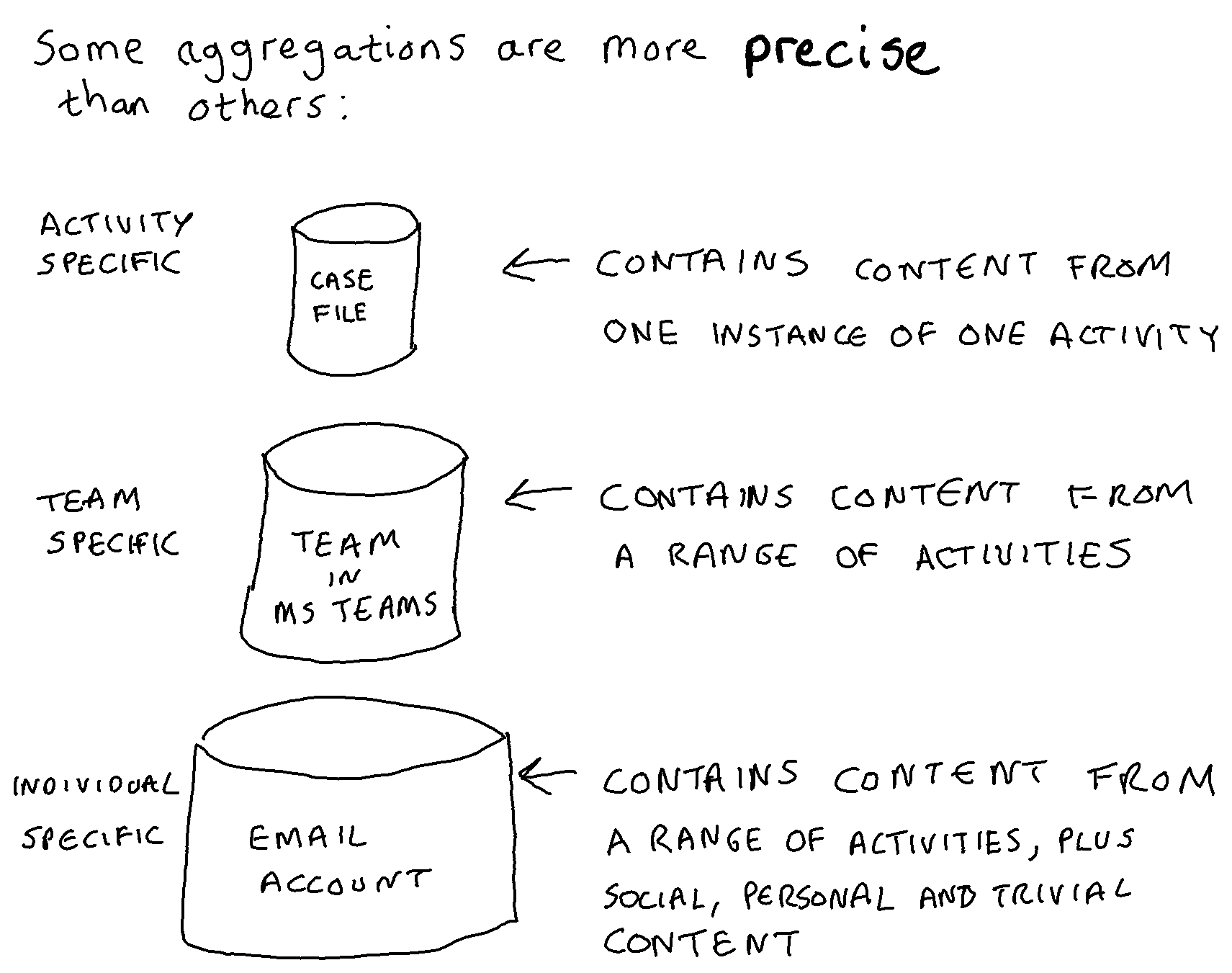
The in-place strategy embodied in the MS 365 cloud suite is one in which applications are deployed without any attempt to ensure that the structure and schema of those applications are optimised for recordkeeping. Organisations apply retention rules to the aggregations that naturally occur within those different native applications (email accounts, SharePoint sites, One Drive accounts, Teams Channels, Teams Chat accounts etc.) and ask individuals (or train machines) to identify and label any items that are exceptions to the retention rule set on the aggregation that they are housed in.
We can point Microsoft to a truck load of best practice standards in records management but almost all of it has been written from a point of view that assumes an organisation or a vendor is trying to design records management frameworks into one business application. There is little or no literature on the in-place strategy that Microsoft are trying to implement in their cloud suite. We have nothing against which to judge Microsoft’s execution of the in-place strategy in their suite, and nothing to guide organisations attempting to work with that strategy in their implementation of the suite.
Filling the gap in records management best practice
I am writing this on New Years Day. How about a collective new year’s resolution to start building a knowledge base for the in-place records management strategy? This should prompt us to start thinking through the key considerations involved in managing records across multiple document management, messaging, filesharing and collaboration applications, many of which have structures and schemes that are neither optimised nor optimisable for recordkeeping.
This should supplement but not replace the existing knowledge base we have for the other two main records management strategies.
To understand Microsoft’s strategy for document management in Office 365 it is more instructive to look at what they are doing with Delve, MS Teams and Project Cortex than it is to look at what they are doing with SharePoint.
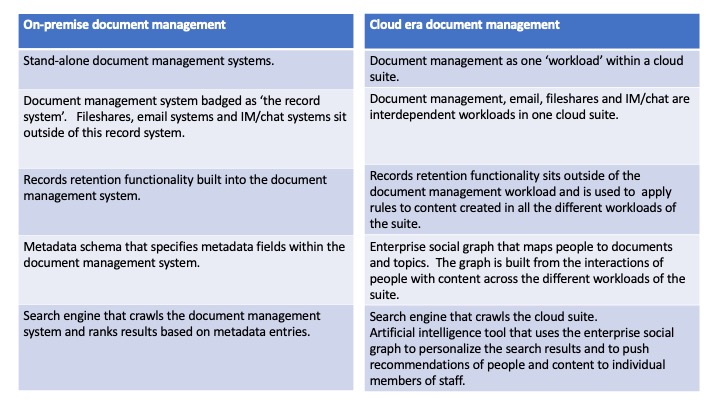
The move to the cloud has had a massive impact on document management, despite the fact that document management systems (such as SharePoint) have changed relatively little.
What has changed is that cloud suites such as Office 365 and GSuite have created a much closer relationship between document management systems and the other corporate systems holding ‘unstructured’ data such as email systems, fileshares and IM/chat. This closer relationship is fuelling developments in the AI capabilities that the big cloud providers are including in their offerings. Project Cortex, set to come to Office 365 during 2020, is the latest example of an AI capability that is built upon an ability to map the interconnections between content in the document management system and communication behaviour in email and chat.
SharePoint in the on-premise era
In its on-premise days SharePoint was in many ways a typical corporate document management system. It was the type of system in which:
It was the type of system that an organisation’s might call their ‘corporate records system’ on the grounds that documents within the system are likely to have better metadata and be better governed, than documents held elsewhere.
SharePoint in the cloud era
In Office 365 SharePoint’s role is evolving differently. Its essential role is to provide document management services (through its document libraries) and (small scale) data management services (through its lists) to the other applications in the Office 365 family, and in particular to MS Teams.
SharePoint can still be configured to ask users to add metadata to documents, but users have three quicker alternatives to get a document into a document library:
SharePoint can and should still be given a logical corporate structure but MS Teams may start to reduce the coherence of this structure. Every new Team in MS Teams has to be linked to an Office 365 group. If no group exists for the Team then a new group has to be created. The creation of a new Office 365 Group provisions a SharePoint site in order to store the documents sent through the channels of that Team. Every time a private channel is created in that Team it will create another new SharePoint site of its own.
SharePoint still has a powerful Enterprise search centre within it, but it is rivalled by Delve, a personalised search tool that sits within Office 365 but outside SharePoint. Delve searches not just documents in SharePoint but also in One Drive for Business and even attachments to emails.
SharePoint can still be configured to apply retention rules to its own content through policies applied to content types or directly to libraries. However a simpler and more powerful way of applying retention rules to content in SharePoint is provided outside SharePoint, in the retention menu of the Office 365 Security and Compliance Centre. This retention menu is equally effective at applying retention rules (via Office 365 retention policies and/or labels) to SharePoint sites and libraries, Exchange email accounts, Teams, Teams chat users and other aggregations within the Office 365 environment.
Microsoft’s attitude to Metadata
Microsoft’s Office 365 is a juggernaut. It is evergreen software which means that it has regular upgrades that take effect immediately. It faces strong competitive pressures from another giant (Google). It needs to gain and hold a mass global customer base in order to achieve the economies of scale that cloud computing business models depend on.
Information architects of one sort or another are part of the ecosystem of Office 365. Like any other part of the Office 365 ecosystem information architects are impacted by shifts, advances and changes in the capabilities of the evergreen, everchanging Office 365. Suppliers in the Office 365 ecosystem look for gaps in the offering. They don’t know how long a particular gap will last, but they do know that there will always be a gap, because Microsoft are trying to satisfy the needs of a mass market, not the needs of that percentage of the market that have particularly strong needs in a particular area (governance, information architecture, records management etc.).
The niche that SharePoint information architects have hitherto occupied in the Office 365 environment will be changed (but not diminished) by Microsoft’s strategy of promoting:
Microsoft’s need to win and keep a mass customer base means that they need document management to work without information architecture specialists because there are not enough information architecture specialists to help more than a minority of their customers.
Microsoft’s plans for SharePoint to be a background rather than a foreground element in Office 365 will take time to run their course, and that gives us time to think through what the next gap will be. What will be the gap for information architects after SharePoint has been reduced to a back end library and list holder for Teams, Delve, Cortex and the Microsoft Graph?
In order to come up with a proposed answer to this question this post will explore in a little bit more detail how and why Microsoft’s document management model has changed between the stand alone on premise SharePoint and SharePoint Online which is embedded in Office 365.
The on-premise corporate document management system model
On-premise corporate document management systems, up to and including the on premise SharePoint, were built on the assumption that a corporate document management system could stand separately from the systems (including email systems) that transported documents from person to person.
This assumption had been based on the idea that good metadata about a document would be captured at the point that it was entered into the system, and updated at any subsequent revision. This metadata would provide enough context about the documents held in the system to render superfluous any medium or long term retention of the messages that accompanied those documents as they were conveyed from sender to recipient(s).
The model depended on a very good information architecture to ensure that:
The problem with this model is that it is not feasible to design an information architecture for a corporate wide stand alone document management system that describes documents in a way that means that documents across all of an organisation’s different activities are understandable and manageable. You can achieve this for some parts of the system, but not for the whole system.
There are two ways you can set up an information architecture: top down or bottom up. Neither approach works on a corporate wide scale:
There is a way by which this information architecture problem can be solved. It involves:
This is already starting to look like a graph – like the Facebook social graph that drives search in Facebook, the Google Knowledge Graph that is built into Google Search and the Microsoft graph which is the enterprise social graph that underpins Delve and Project Cortex in Office 365.
Enterprise social graphs
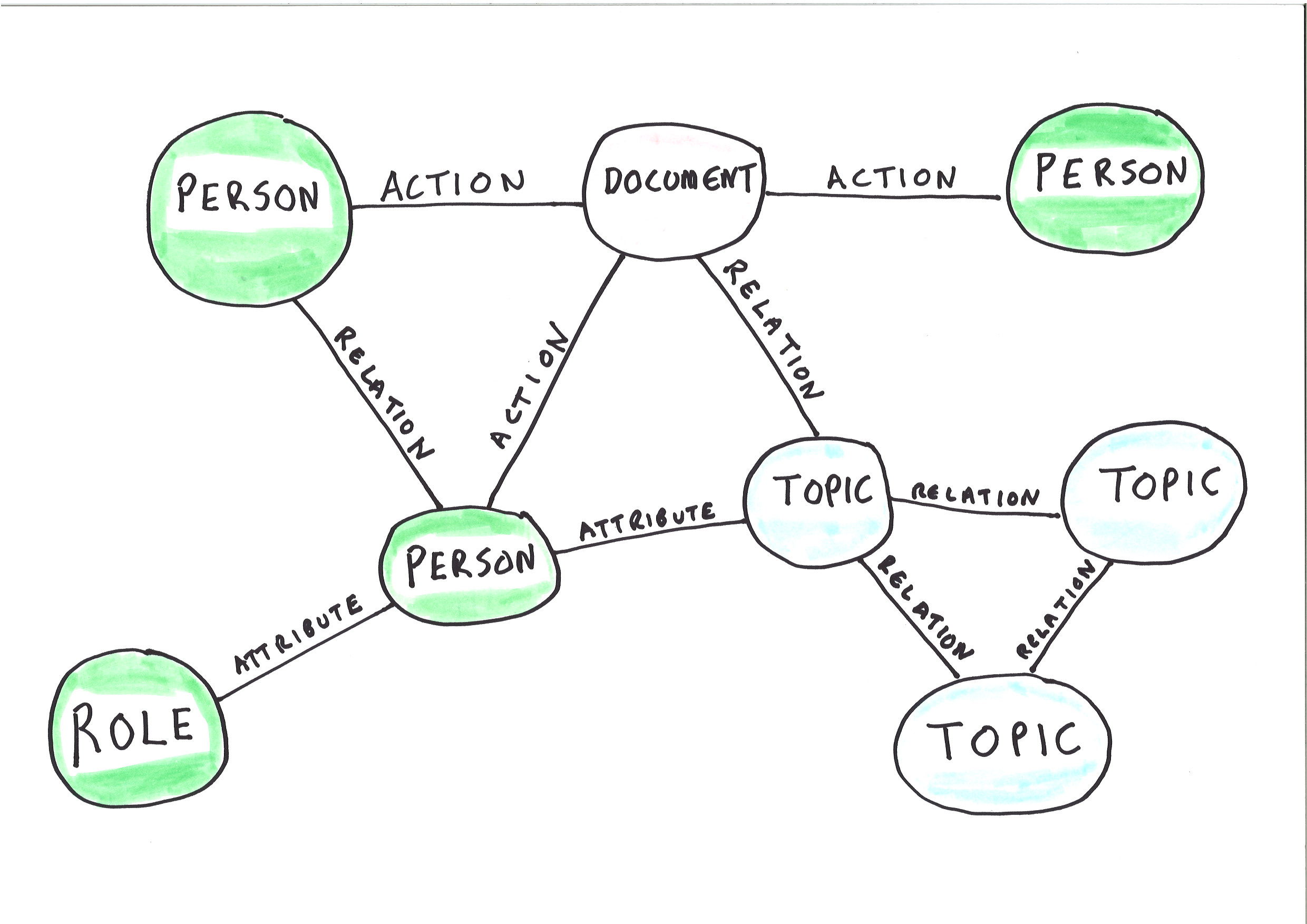
An enterprise social graph is an established set of connections between:
The deployment of a graph significantly reduces the reliance of a system on metadata added by an end user (or machine) at the time of the upload of a document into a system. The mere fact that a particular end user has uploaded a document to a particular location in a system is already connecting that document to the graph. The graph connects the document to other people, topics and entities connected with the person who uploaded the document.
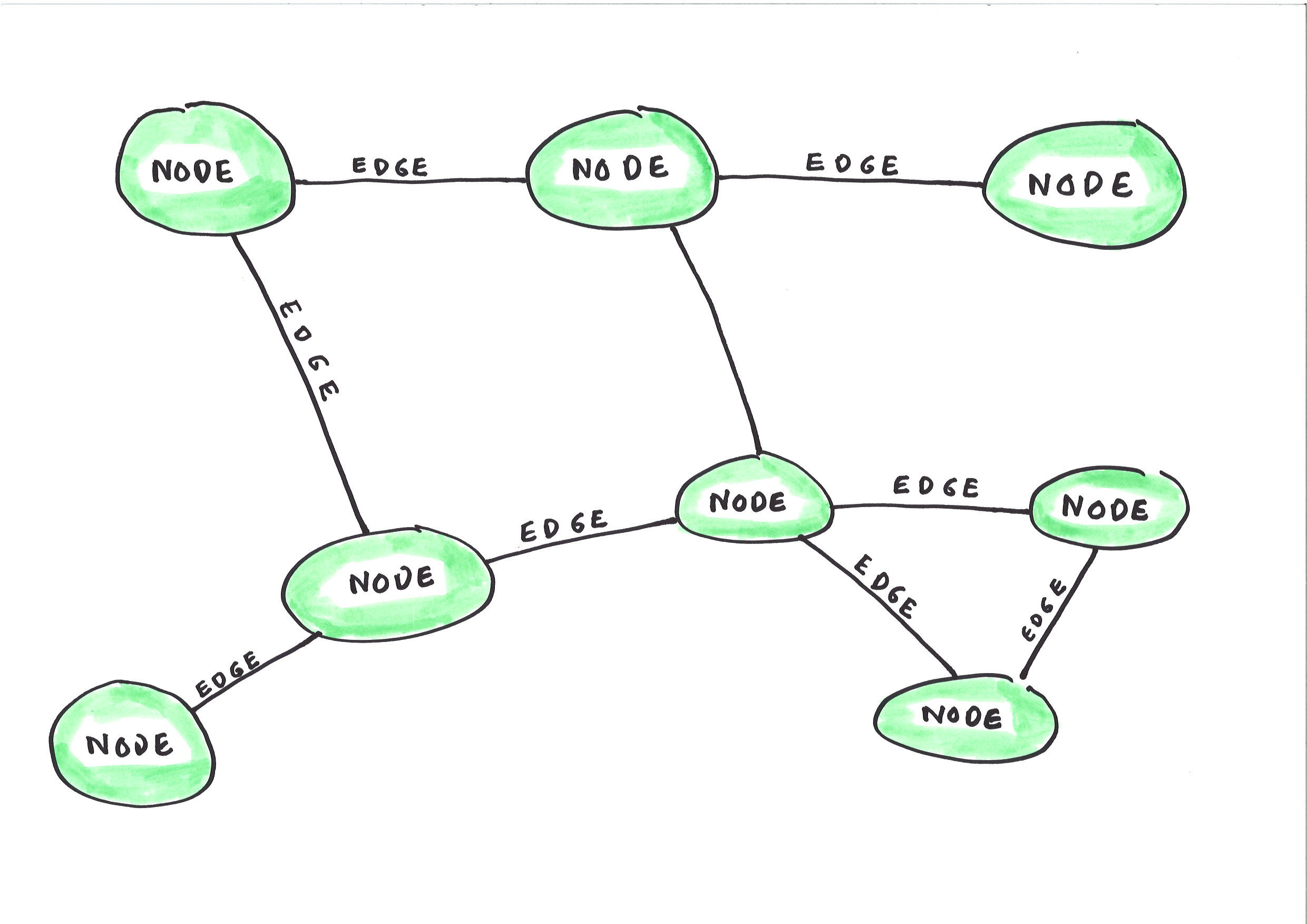
Graphs consist of nodes (people, objects and topics) and edges (the relationships between the nodes).
The concept of the graph has enormous potential in information architecture. You could narrow down the range of permitted values for any metadata field for any document any individual contributes to a system just by ensuring that the system knows what role they occupy at the time they upload the document.
This pathway towards smart metadata also takes us away from the idea of the document management system as a stand alone system.
If we see a document management system as a world unto itself we will never be able to capture accurate enough metadata to understand the documents in the system. Better to start with the idea that the documents that an individual creates are just one manifestation of their work, and are interrelated and interdependent with other manifestations of their work such as their correspondence, their chats, and their contributions to various line of business databases.
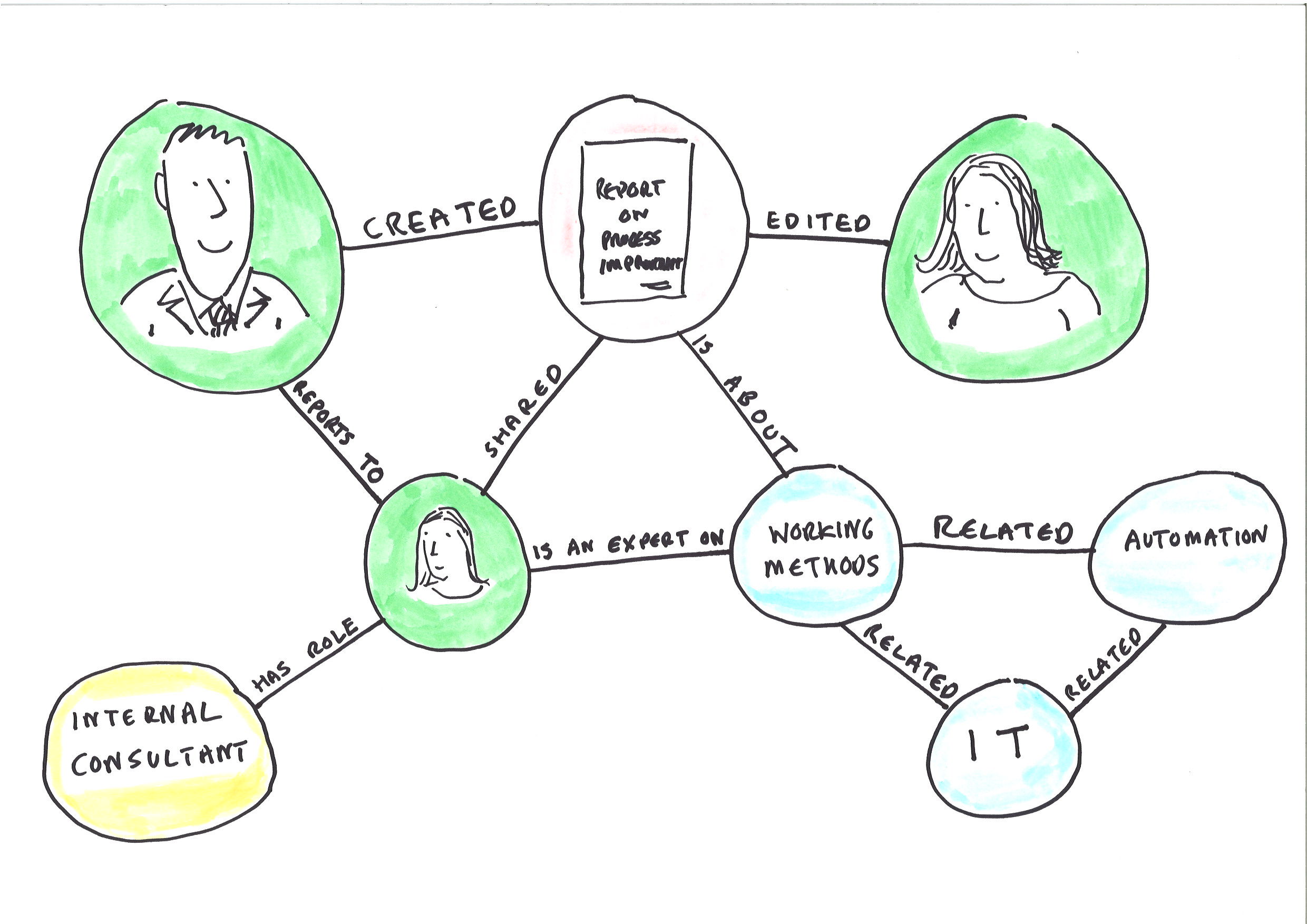
We can also distinguish between a knowledge graph, which is built out of what an organisation formally knows, and a social graph which is built out of how people in an organisation behave in information systems. The cloud providers have started by providing us with a social graph. Over time that social graph may improve to become more like a knowledge graph, and we will see below when we look at Project Cortex that Microsoft are taking some steps in that direction. But there is still some way to go before the enterprise social graph provided by Microsoft has the precision of an ideal knowledge graph. Note the word ‘ideal’ in that sentence: I have never worked in an organisation that has managed to get a knowledge graph (as opposed to a social graph) up and functioning.
The nature of an ideal knowledge graph will vary from organisation to organisation. An engineering firm needs a different type of graph from a ministry of foreign affairs which needs a different type of graph from a bank etc. etc.
In an engineering firm an ideal knowledge graph would connect:
These different datasets and vocabularies can be mapped to each other in a graph independently of any document. Once a graph is constructed a document can be mapped to any one of these features and the range of possible values for all the other features should correspondingly reduce.
In a foreign ministry an ideal knowledge graph would connect
Again these can be mapped independently of any documents. Staff can be mapped to the countries they are based in/follow or to the thematic topic they work on.
The notion of the graph (whether a knowledge graph or a social graph or a blend of the two) brings home the fact that the data, document and messaging systems of an organisation are all interdependent. The graph becomes more powerful from a machine learning and search point of view if it is kept nourished with the events that take place in different systems. When a person emails a document to another person this either reinforces or re-calibrates the graph’s perception of who that person works with and what projects, topics or themes they are working on.
Information architects will still need to pay attention to the configuration of particular systems, and corporate document management systems bring with them more configuration choices than any other information system I can think of. They should however pay equal attention to the configuration of the enterprise social graph that the document management system, in common with the other systems of the organisation, will both contribute to and draw from.
The next section looks at why both end users and Microsoft have tended to move away from user added metadata in SharePoint.
SharePoint and user added metadata
In a recent IRMS podcast Andrew Warland reported that an organisation he worked with synched their SharePoint document libraries with Explorer, and that subsequently most users seemed to prefer accessing their SharePoint documents through the ‘Explorer View’ rather than through the browser.
This preference for using the Explorer view over the browser view is counter intuitive. The browser view provides the full visual experience and the full functionality of SharePoint, whereas the Explorer view in effect reduces SharePoint to one big shared drive. But it is understandable when you think of the relationship between functionality and simplicity. Those purchasing and configuring information systems tend to want to maximise the functionality of the system they buy/implement. Those using it tend to want to maximise the simplicity. These things are in tension – the more powerful the functionality the more complex the choices presented to end users. The simplest two things a document management system must do is allow users to add documents and allow them to view documents: Explorer view supports both of these tasks and nothing else.
At this point I will add an important caveat. Andrew didn’t say that all end users preferred the explorer view. Some sections of the organisation had more sophisticated document library set ups that they valued, and were prepared to keep adding and using the metadata. But if the hypothesis advanced at the start of this post is correct then it is not feasible to configure targeted metadata fields with context specific controlled vocabularies for every team in an organisation when rolling out a stand alone document management system.
Graham Snow pointed out in this tweet that one disadvantage of synching document libraries with Explorer is that when a user adds a document they are not prompted to add any metadata to it. This raises two questions:
Let us start by confirming that Metadata indeed is important. In order to understand any particular version of any particular document you need to understand three things:
This provides a clue as to why many end-users don’t tend to add metadata to documents. If a document was shared via email then the end-user has the metadata that answers those three crucial questions, in the form of an email sitting in their email account. Their email account will have a record of who they shared it with (the recipient of the email), when (the date of the email) and why (the message of the email). One question we might ask ourselves is why have we not sought to routinely add to the metadata of each document the details which we could scrape from the email system when it is sent as an attachment? These details include the date the document was sent, the identity of the sender and the identity(ies) of the recipient(s).
The Microsoft graph
Microsoft are trying to make Office 365 more than simply a conglomeration of stand alone applications. They are trying to integrate and interrelate One Drive, Outlook, Teams, SharePoint and Exchange, to provide common experiences across these tools which are they prefer to call separate Office 365 ‘workloads’ rather than separate applications. This effort to drive increased integration is based on two main cross Office 365 developments: an Office 365 wide API (called Microsoft Graph API) and an enterprise social graph (called the Mircosoft Graph).
The Microsoft Graph API provides a common API to all the workloads in Office 365. This enables developers (and Microsoft themselves) to build applications that draw on content held and events that happen in any of the Office 365 workloads.
Microsoft Graph is an enterprise social graph that is nourished by the ‘signals’ of events that happen anywhere in Office 365 (documents being uploaded to One Drive or SharePoint; documents being sent through Outlook or Teams; documents being edited, commented upon, liked, read, etc.). These signals are surfaced though the Microsoft Graph API.
Microsoft Graph was set up to map the connections between individual staff, the documents they interact with, and the colleagues they interact with. For most of its existence Microsoft graph has been more of a social graph than a knowledge graph.
The forthcoming project Cortex (announced at the Microsoft Ignite conference of November 2019) takes some steps in the direction of turning Microsoft Graph into a knowledge graph. It will create a new class of objects in the graph called ‘knowledge entities’. Knowledge entities are the topics and entities that Cortex finds mention of in the documents and messages that are uploaded to/exchanged within Office 365. Cortex will create these in the Microsoft Graph and link them to the document in which they are mentioned and the people that work with those documents.
Applications built on top of the Microsoft graph
The three most important new services that Microsoft has built within Office 365 since its inception are Delve, Microsoft Teams and Project Cortex. All three of these services are meant to act as windows into the other workloads of Office 365. They are all built on top of the Microsoft 365 graph, and they provide signposts as to how Microsoft wants to see Office 365 go and how it sees the future of document management.
MS Teams, Delve, Cortex and the Microsoft Graph are eroding the barriers between the document management system (SharePoint), the fileshare (One Drive for Business), the email system (Outlook and Exchange) and the chat system (Teams).
MS Teams
Teams is primarily a chat client. But it is a chat client that stores any documents sent through it in either:
Delve
Delve uses Microsoft Graph to personalise, security trim, filter and rank search results obtained by the Office 365 search engine. Delve pushes these personalised results to individual users so that on their individual Delve page they see:
Delve is working under certain constraints. It does not search the content of email messages, only the attachments. It does not recommend a documents to an individual who does not have access to that document.
There are some cases where Delve has surfaced information architecture issues. In an IRMS podcast discussion with Andrew Warland (which is currently being prepared for publication) Andrew told me how one organisation he came into contact with had imported all their shared drives into SharePoint without changing access permissions in any way. Each team’s shared drive went to a dedicated document library. The problem came when Delve started recommending documents. Sometimes Delve would recommend documents from one part of the team to people in a different part of the team, and sometimes the document creators were not pleased that the existence of those documents had been advertised to other colleagues.
The team asked Andrew whether they could switch off Delve. His response was that they could, but that switching off Delve (or removing the document library from the scope of Delve) would not tackle the root of the problem. The underlying problem was that the whole team had access to the document library that they were saving their documents into. He suggested splitting up the big document library into smaller document libraries so that access restrictions could be set that were better tailored to the work of different parts of the team.
Delve has taken baby steps to unlocking some of the knowledge locked in email systems that is normally only available to the individual email account holder (and to central compliance teams). Delve cannot search the content of messages but it can search the attachments of email messages and the metadata of who sent the attachment to whom.
Project Cortex
Project Cortex will take this one step further. It is a knowledge extraction tool. It seeks to identify items of information within the documents uploaded and the messages sent through Office 365. It is looking for the ‘nouns’ (think of the nodes on the graph) within the documents and the messages. The types of things it is looking for are the names of projects, organisations, issues etc. It seeks to create ‘topic cards’ and topic pages containing key pieces of information about these entities. A link to the topic card will appear whenever the project/organisation/issue etc. is mentioned in any Office 365 workload. Users will come across the link when they read or type the name of the entity into an email or a document. The topic cards and pages will also contain Cortex’s recommendations as to which colleagues are experts on the topic and which documents are relevant to the topic. Like Delve, Cortex will use Microsoft Graph to create these recommendations.
Project Cortex is tightly bound in with SharePoint. Its outputs manifest themselves in familiar SharePoint pages and libraries. Cortex uses the fact that SharePoint sites can be used to serve as an intranet to generate topic pages that function like Sharepoint intranet pages. Like SharePoint intranet pages you can add web parts to them, and they use document libraries to store and display documents. Project Cortex will populate the document library of a topic page with the documents that it mined to generate the information on the topic page. Colleagues who do not have access to those documents will not have access to the page.
The topic cards and pages will be editable (like wikipages). Project Cortex will link the topic pages for related topics together to form Knowledge Centres. These Knowledge centres will supplement (or rival) the organisation’s intranet.
SharePoint and machine added metadata
So far the knowledge centre/topic pages aspects of Project Cortex have got the most publicity, and they are the aspects that are likely to make the most immediate impression on end users. But I think and hope that the most useful aspects of Project Cortex will be two features that allow you to use machine learning to capture specified fields of metadata for a specified group of content in specified SharePoint document libraries.
Project Cortex will provide a ‘Content centre’ within which Information professionals and/or subject matter experts can use machine teaching to build particular machine learning models. These models can be published out to particular SharePoint document libraries. The model can then populate metadata fields for documents uploaded to the library.
It would seem, from what Microsoft are saying about it, that the machine teaching capability that it will play to the strengths of information professionals, because it will use their knowledge of the business logic behind what metadata is needed about what content. The disadvantage of the machine teaching learning model is that it won’t scale corporate wide. You will have to target what areas you want to develop machine learning models for, just like in the on-premise days when you had to target which areas you would design tailored sites and libraries for.
The developments that are driving change in document management
The following four developments are driving change in document management:
These four developments are interdependent. Machine learning is only as good as the data it is trained on. Within a stand alone document management system there is simply not enough activity around documents for a machine learning tool/search tool to work out which documents are relevant to which people. A machine learning tool/search tool is much more powerful when it can draw on a graph of information that includes not just the content of the documents themselves and its metadata, but also the activity around those documents in email systems and IM/Chat systems.
In their on-premise days Microsoft found it extremely difficult to build shared features between Exchange and SharePoint. Now that both applications are on the cloud, both are within Office 365, both share the same API and both share the same enterprise social graph it is much easier for Microsoft to build applications and features that work with both email and SharePoint.
The gaps that project Cortex may not be able to fill
There are four main gaps in the Office 365 metadata/information architecture model:
These gaps provide the space within which records managers, information architects, and the supplier ecosystem in the records management and information architecture space can act in.
Below are what I see as the medium to long term priorities for information professionals (and the information profession) to work on in relation to Office 365:
So here is my wish list from the supplier ecosystem around Office 365
Sources and further reading/watching/listening
At the time of writing Project Cortex is on private preview. What information is available about it comes from presentations, podcasts, blogposts and webinars given by Microsoft.
On 14 January 2020 the monthly SharePoint Developer/Engineering update community call consisted of a a 45 minute webinar from Naomi Moneypenny (Director of Content Services and Insights ) on Project Cortex. A You Tube video of the call is available at https://www.youtube.com/watch?v=e0NAo6DjisU. The video includes discussion of:
The philosophy behind machine teaching is discussed in this fascinating podcast from Microsoft Research with Dr Patrice Simard (recorded May 2019) https://www.microsoft.com/en-us/research/blog/machine-teaching-with-dr-patrice-simard/
The following resources provide some background to graphs:
Microsoft Teams is an Office 365 application within which individuals belong to one or more Teams and can exchange messages through one of three different routes:
In a recent IRMS podcast Andrew Warland said that Teams had been adopted enthusiastically by colleagues across his organisation and the volume of communications sent via Team channels and chats had grown rapidly. However the number of emails exchanged had not seemed to fall. In contrast Graham Snow tweeted that he had seen figures of as much as an 85% reduction in email traffic as a result of the introduction of Teams.
This post looks at three questions in relation to MS Teams:
The question of whether correspondence in Teams is likely to be more or less accessible and manageable than correspondence in email depends in large part upon which of the communication routes within Teams attracts the most correspondence:
Channels are likely to be more manageable than email because the access model is so simple. Every member of the Team can access everything in every channel of the Team. Channels may however pose something of a digital preservation headache because the conversations are stored separately from any documents/files that are shared in the channel:
Private channels are a new feature of MS Teams, introduced in November 2019. They function like channels with the main difference being that the access model is more granular and hence more complex. Every private channel within a team has its own bespoke list of members able to access it.
The storage arrangements are not more complex for private channels than channels:
In the December 2019 episode of the O365Eh! podcast Dino Caputo described the angst in the SharePoint community at the fact that each new Teams private channel creates a new SharePoint site collection, and asked the Microsoft Teams product lead Roshin Lal Ramesan why it had been designed like that. Roshin said it was to protect the confidentiality expectations of the participants of a private channel by making sure that the documents they send were not visible to the owner of the Team that the private channel is based in.
Microsoft have designed the storage arrangements for private channels to take account of the fact that it is not normally necessary or recommended for a Team owner to be the most senior person in the team. Private channels give (for example) the possibility for senior managers within a Team to have a channel for communications which the team owner cannot see into.
Roshin explained that by default the Team owner becomes the site collection administrator of the SharePoint site that is automatically created when a new Team and a new Office 365 group is created. The Team owner can see all the content stored in that SharePoint site collection. When a private channel is created within the Team a further new site collection is created, to which the Team owner has no access to unless they are themselves a participant in the private channel.
Private channels were introduced after a mountain of requests from customer organisations. Organisations may play a high governance price for their request being granted. As Private channels proliferate within Teams so they will also proliferate new sites in SharePoint. In anticipation of this Microsoft have quadrupled the number of site collections that an organisation is able to have in their implementation, from 500,000 to 2 million.
Access to old private channels will degrade over time. Microsoft’s model is that when the owner of a private channel leaves, the ownership of the group defaults to another member of the private channel. Once the private channel ceases being used then access to the private channel will degrade, with progressively less and less people being able to access it.
The question of whether channelling correspondence through Teams makes that correspondence more or less useful and manageable than email depends then on the balance between channels on the one hand, and private channels and chats on the other.
We can identify two different scenarios:
In scenario 1 each organisational unit is given a Team, as are some cross-organisational projects. Each team is relatively small which means that talk in a channel can be relatively frank. Each Team defines a relatively small number of channels to cover its main areas of work. Individuals continue to use their email account as their main source of correspondence, but also use their Teams client for quick communications.
In this scenario the Team owner rarely adds colleagues from outside their organisational unit to the Team, because that would give them the ability to see all the existing correspondence in all the channels.
In scenario 2 the organisation increases the average size of Teams, giving each individual a bigger pool of people to interact with through channels and private channels. The team still has a set of channels for matters that concern the whole team. Because the Team is so much bigger there is a need for private channels, in part to minimise the noise for individual Team members from traffic that does not relate to them, and in part to enable team members to talk frankly. The Teams client becomes more important than the email inbox for many colleagues, particularly those that are internally facing.
In this scenario some individuals external to the Team and even to the organisation can be added as members, visitors or guests so that a team can interact with them via a channel or private channel. Individuals find that their Team’s client becomes more complex. In it they see not just their own Team’s channels, and the private channels that they are part of, but also the channels (and perhaps some private channels) of other Teams that they have been added to. Individuals learn to adapt to the new environment, turning on and off notifications from different channels depending on their perception of the relevance and usefulness of each channel/ private channel.
In this second scenario some individuals begin to watch their Teams client more closely than their email client, and send more messages through Teams than they do through email
A reading of the two scenarios above suggests that:
Whether or not a particular individual experiences a fall in email traffic as a result of the introduction of MS Teams is likely to depend on who they do most of their communicating with:
Even within one organisation you will see wide varieties of take up, with some internally facing teams using it for 80% of their communications but other externally facing teams using it for 20% or less of their correspondence.
The two main barriers that are likely to hold MS Teams back from becoming the main channel for written communications are that:
As any Microsoft Teams user knows, the “left-rail” of the Teams interface gets hard to organize once you’re part of many Teams and named group chats. “Chats” quickly fall out of view if they aren’t pinned to your left-rail and you get bombarded by chats every day (and who doesn’t?). Given that you cannot even search for named group Chats in the mobile clients, this experience can get infuriating if you’re often on the road.
Counterbalancing the above two tendencies is the fact that many people will find working out of a Teams client quicker and more effective than working out of an email account. If and when more people in the organisation prefer working out of a Teams client than an email client then a tipping point may be reached when the Teams client replaces the email account as the main source of communication for a significant portion of the internal facing staff of the organisation.
It is possible that in some organisations the volume of traffic going through Teams could approach parity with email. In order to reach this position of near parity with email Teams will have to become loosely governed. Private channels, Group chats and one-to one chats will proliferate. These are the three types of communication in Teams that (unlike Channels) offer no governance advantage over correspondence through email.
I have long held the belief that whatever correspondence/messaging tool eventually overtook or reached parity with email would be harder to manage and govern than email.
This is because the long term trend is for the velocity and volume of correspondence to increase. When the velocity of correspondence increases the average value of individual messages reduces, even though the total value of all the correspondence of an organisation does not diminish.
The lower the average value of messages the harder it is to tell significant messages from insignificant messages. A one-line message in a channel, private channel, group chat or chat only makes sense in the context of the rest of the messages in that channel, private channel, group chat or chat.
Donald Henderson kicked off a debate on the Records Management UK listserv about how long to keep messages sent through MS Teams. In his post Donald describes how he had first wanted to impose a regime of deleting all posts in teams after one month, but that faced opposition so his next suggestion was six months. He went on to relate that:
It has now been suggested to me that some sections of the organisation will actually post ‘important stuff’ in chat – the example being quoted was interactions round a major capital building project, including with the contractor. My thoughts are that this sort of stuff starts to warrant retention as a record of the capital project, i.e. 25 years and possibly permanent retention depending on the project.
Donald is right. If your colleagues are using MS Teams for interactions with a contractor about a major capital project then those interactions should indeed be kept for the retention period applicable to records of major capital projects. The fact that colleagues in the organisation did not want Teams chats deleted after one months shows that Teams is serving as a record system for those interactions that are being conducted through Teams. Donald went on to describe the downside of retaining conversations conducted through Teams as records:
Since it is really hard to get rid of individual items of chat (only the poster can delete their own posts), this raises the spectre of retaining every item in a Team site for the entire retention period. The thought of a subject access request or, probably worse, an FOI request for all the stupid GIFs that have been posted is just a bit concerning.
When organisations are faced with a high velocity correspondence system their first reaction is usually to apply a one-size fits all retention policy across the entire system.
A one-size fits retention policy will work for 90% of your email accounts/Teams/chats.
If you set a policy of retaining email/Teams correspondence for x years (with x being a number between two and seven) then that would work for 90 per cent of the email accounts and Teams channels/private channels/chats that you have. The problem is that the 10% that it doesn’t work for contain the most important 10% of your correspondence.
The basis of records management is that different activities have different levels of impact and importance, and this should be reflected in retention periods. We have found consistently over the past two decades that many decisions were documented only in email. If Teams really takes off and approaches parity with email as a correspondence medium then you will find that some decisions are documented only in Teams.
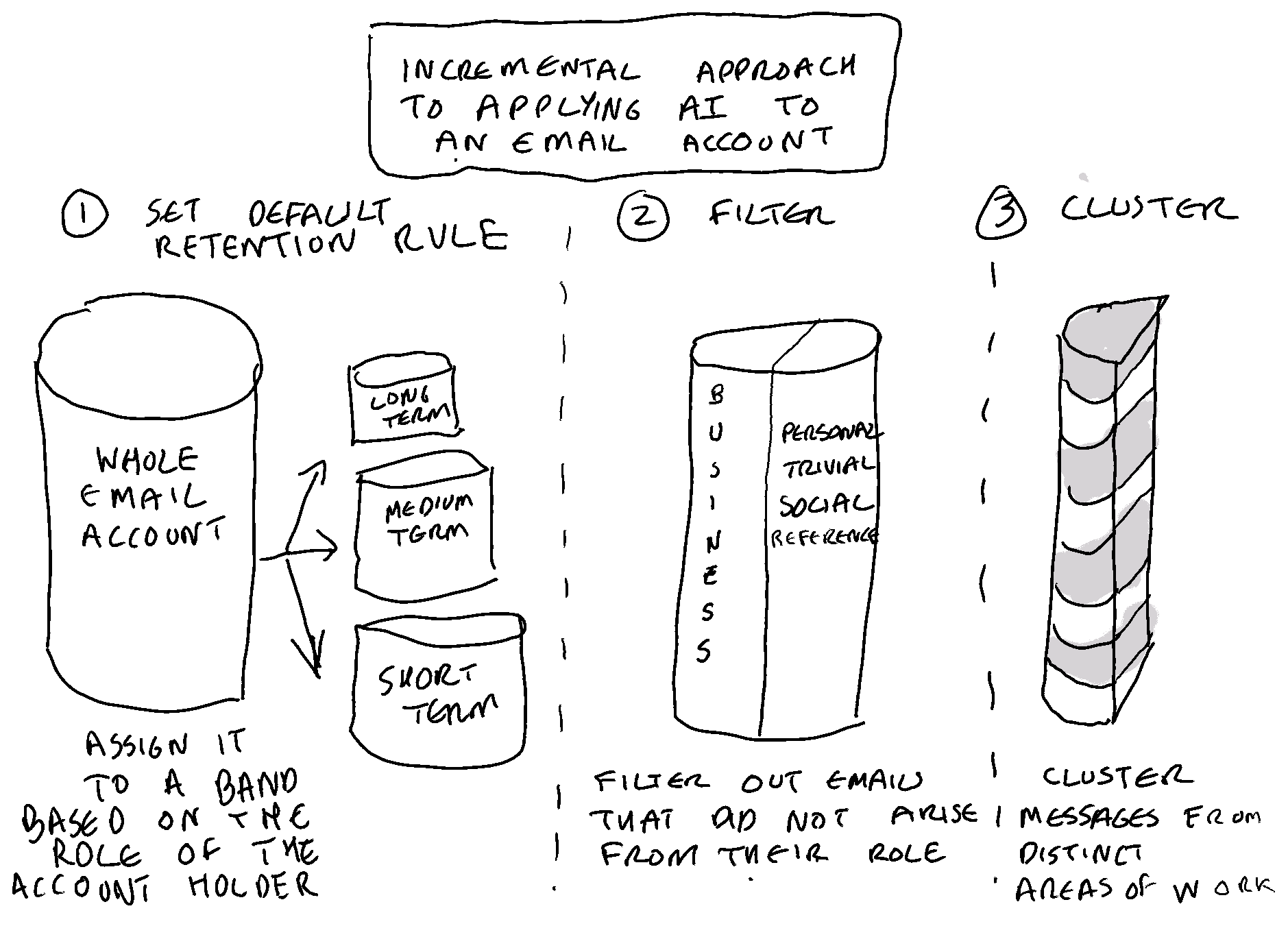
The pragmatic approach is to manage by exception. This way we can still set a one size fits all retention period for email and Teams but we only apply it to 90% of email accounts, 90% of Teams, and 90% of individuals using Teams chat. An exception should be made for the 10% of email accounts, Teams and Teams chat accounts that are used by those people who have responsibility for our organisation’s most strategic/valuable/important/impactful work. Choosing which individuals and which Teams constitute that 10% is a matter of good records management judgement, and is the type of judgement that people in our profession are qualified to make.
To accompany such a policy we should reserve the right to use human and/or automated means to identify and separate out trivial and personal correspondence from that 10%.
 Thinking Records